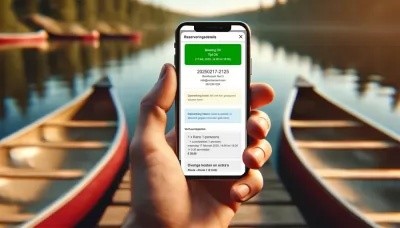
It’s here: the new RentAccent app! This mobile extension of our booking system now allows you to instantly retrieve reservation details using a unique QR code. That means no more searching through booking overviews, but direct access to the right booking — anytime, anywhere. The app is now available as a free beta version for all users.
Why a booking system with an app?
As a rental business, you want to act quickly — especially during arrivals on-site or when multiple staff members are involved. The RentAccent app is designed to support your booking process on the go, giving you instant access to reservations via a scannable QR code. The app works on iOS and Android and can be used simultaneously on multiple phones.
What can you do with the RentAccent app?
The app gives you access to:
- Complete booking details
- Payment status
- Check-in time
- Other reservation information
Simply scan the QR code linked to each reservation and immediately view the details on your phone — perfect for arrivals, checks, or busy times.
Each reservation includes a unique QR code that:
- is included in the confirmation email to the customer/guest
- can be accessed via the Booking Manager
How to install the RentAccent app
Follow these steps to install the app on your phone and link it to your account:
- Log in to the RentAccent Booking Manager as usual
- In the left menu, go to RentAccent App
- Scan the QR code on the screen with your phone and follow the link to download the RentAccent app
- You’ll now receive new instructions on your phone — just follow them
- Once installed, return to the Booking Manager and click step 2 via the dark blue button
- You’ll now see another QR code — this is the pairing code to link your phone with your RentAccent account. Scan this pairing code using your phone
The app is now ready to use!
Don’t forget: include QR codes in booking confirmations
To make the most of the app, it’s important that QR codes are included in the booking confirmation email sent to the customer.
Here’s how to enable it:
- Go to Booking Module in the Booking Manager
- Scroll down and set ‘Include QR code’ to yes
- Save your settings
From that moment on, every new booking will automatically include a scannable QR code.
Efficient booking management on your phone
With the RentAccent app, our booking system becomes even more powerful. You can manage and check reservations on-site without needing to log in on a desktop or tablet. Ideal for bike rentals, accommodations, day rentals, or any other scenario where speed and clarity are essential.
- Free beta version
- Available for iOS & Android
- Usable by multiple staff members at once
- Fully integrated with your existing RentAccent booking environment
Curious how our app can make your rental process more efficient?
Contact us or activate the free beta version right away via the
Booking Manager.
 nederlands