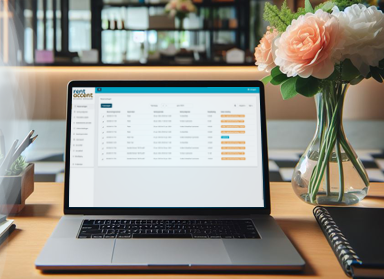
Clear reservation management is essential for any professional rental business. Until now, reservations in RentAccent were displayed by default in a calendar view. Useful for planning, but less suitable for those who want a quick overview or need to export reservations for administrative purposes. That is why RentAccent now introduces a new list view for reservations — complete with payment statuses and export options. This improvement makes our booking system even more powerful for rental businesses that want to work efficiently.
From now on, you can switch between calendar and list view directly in the Reservations screen. The new view displays all reservations in a clear list, sorted by the start date of the rental period. You can easily filter by day, week, or month to quickly focus on relevant periods. This makes managing reservations clearer and faster than ever before.
An additional advantage of the list view is that you can immediately see the payment status of each reservation. This prevents confusion and makes follow-up easier.
The color codes indicate the following:
With this information, you can take action quickly whenever necessary.
Would you like to store reservation data for your administration or financial reporting? You can now do this easily. In the list view, you will see a download button in the top-right corner that allows you to export all reservations within the selected period to an Excel file.
This allows you to easily:
 nederlands